Table of Contents
- Key takeaways for secure printed gift vouchers
- Which specifications define a gift voucher?
- Choose a certificate, card, booklet, or tear-off format
- Define value fields, expiry information, and redemption data
- Gift voucher format and material comparison table
- Paper certificates versus laminated cardstock vouchers
- Which security features solve a real operational problem?
- Sequential numbers, barcodes, and QR codes
- Scratch-off panels, UV elements, microtext, and holographic features
- Why foil alone is not a redemption control
- How to prepare and transfer variable voucher data
- The gift voucher printing process step by step
- Data validation, proofing, production, reconciliation, and packing
- How to test codes before approving the bulk run
- Quality checks for numbering, scanning, and writable fields
- Gift voucher printing quote checklist
- What changes MOQ, production time, pricing, and shipping?
- Make the printed quantity match the usable quantity
A practical guide to specifying value-bearing printed vouchers, from format and unique codes to redemption testing, proof approval, and accountable packing.
Key takeaways for secure printed gift vouchers
Secure gift voucher printing starts with an issuance and redemption plan, not a decorative finish. A good-looking voucher can still be copied or redeemed twice if its code is not unique and checked against a controlled record.
- Give each redeemable voucher a unique identifier and define when it becomes active.
- Choose a printed code format that works with the actual checkout equipment and software.
- Approve both the artwork and representative variable-data proofs.
- Account for rejected sheets, replacements, overruns, and packed vouchers so no untracked valid codes leave production.
This guide addresses vouchers carrying value or entitlement. An admission ticket may only need to control entry to one event; a gift voucher may need to support later redemption, partial use, or balance inquiries.
Which specifications define a gift voucher?
A voucher specification needs two parts: the physical print specification and the rules that make the voucher redeemable. Set both before requesting a production quote.
Definition: A serialized voucher is a printed item with an identifier assigned to that individual item. Variable data printing is the process of changing a field, such as a serial number or QR code, from one printed item to the next. Serialization identifies an item; the issuer’s records and redemption system determine whether it is valid or already used.
Record the intended sales channel, handling conditions, finished size, quantity, substrate, finish, code placement, and packing sequence. Have the team that operates the point-of-sale or online checkout system approve the redemption requirements, not just the visual design.
Choose a certificate, card, booklet, or tear-off format
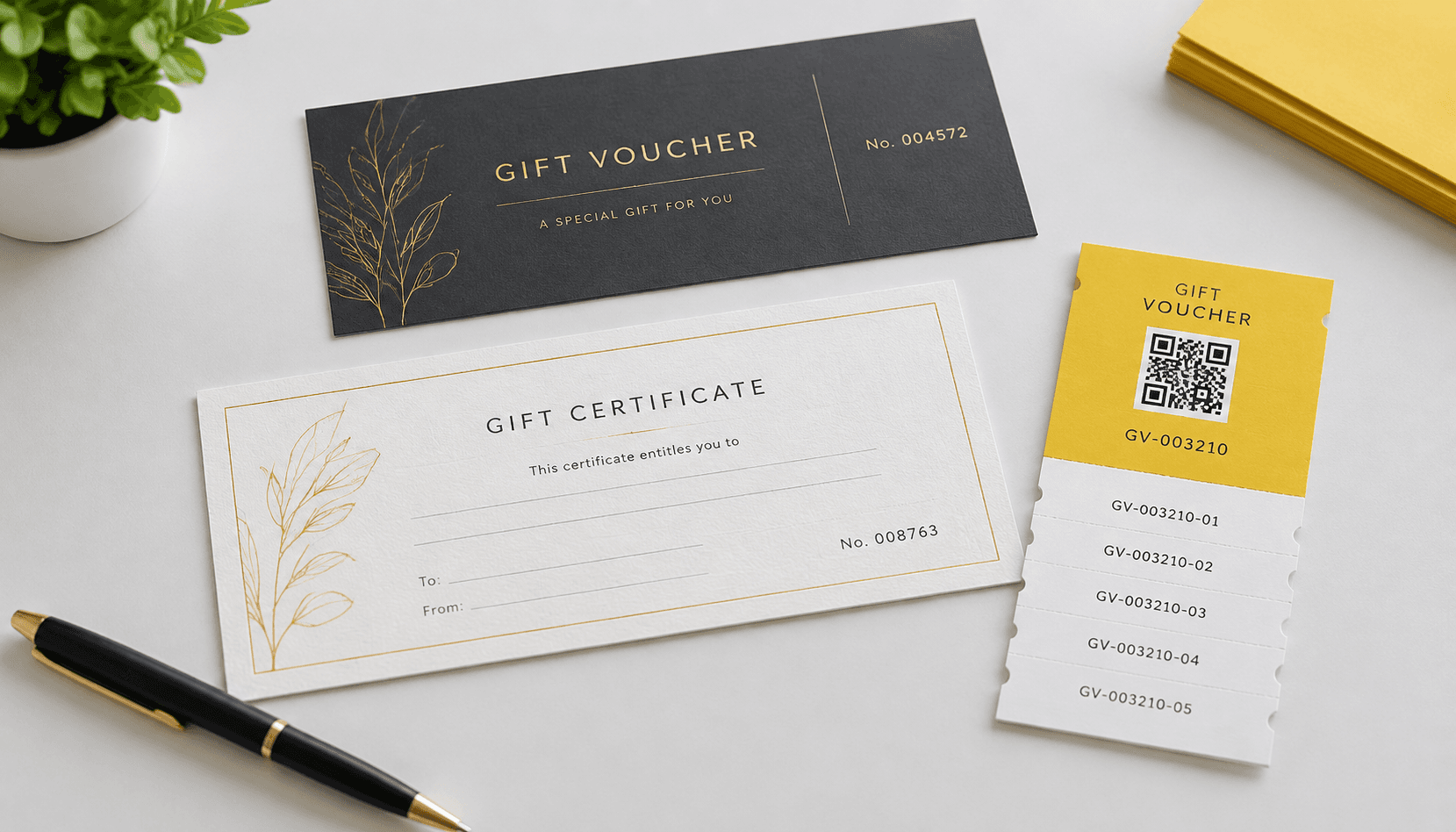
Choose the format around how the voucher will be issued, carried, and redeemed. A flat certificate offers space for conditions and a handwritten message; a compact card fits a wallet or gift sleeve; a booklet can hold several separately redeemable vouchers. A tear-off format can leave the issuer with a physical stub, but the stub should never substitute for a redemption record.
For a multi-voucher booklet, specify whether every leaf has its own code and value or whether the entire booklet shares one account. Perforation position, stub retention, and packing order matter when staff must reconcile what was issued. Lemon Printing’s custom card printing options provide a useful starting point for compact cardstock formats.
Define value fields, expiry information, and redemption data
Decide which information is printed, which is written at issuance, and which lives only in the issuer’s system. Printed fixed-value vouchers need a clear denomination; open-value vouchers need an unambiguous amount field and an activation procedure. Include the issuer’s name, redemption channel, essential terms, and customer-service route where space permits.
If an expiry date or restriction applies, have the buyer’s legal or operations team check the wording for each market. For handwritten amounts, dates, or recipient names, reserve an uncoated writable area and test the pen staff will use. Decide whether a printed serial number should be human-readable alongside its machine-readable code so staff can recover from a failed scan.
Gift voucher format and material comparison table
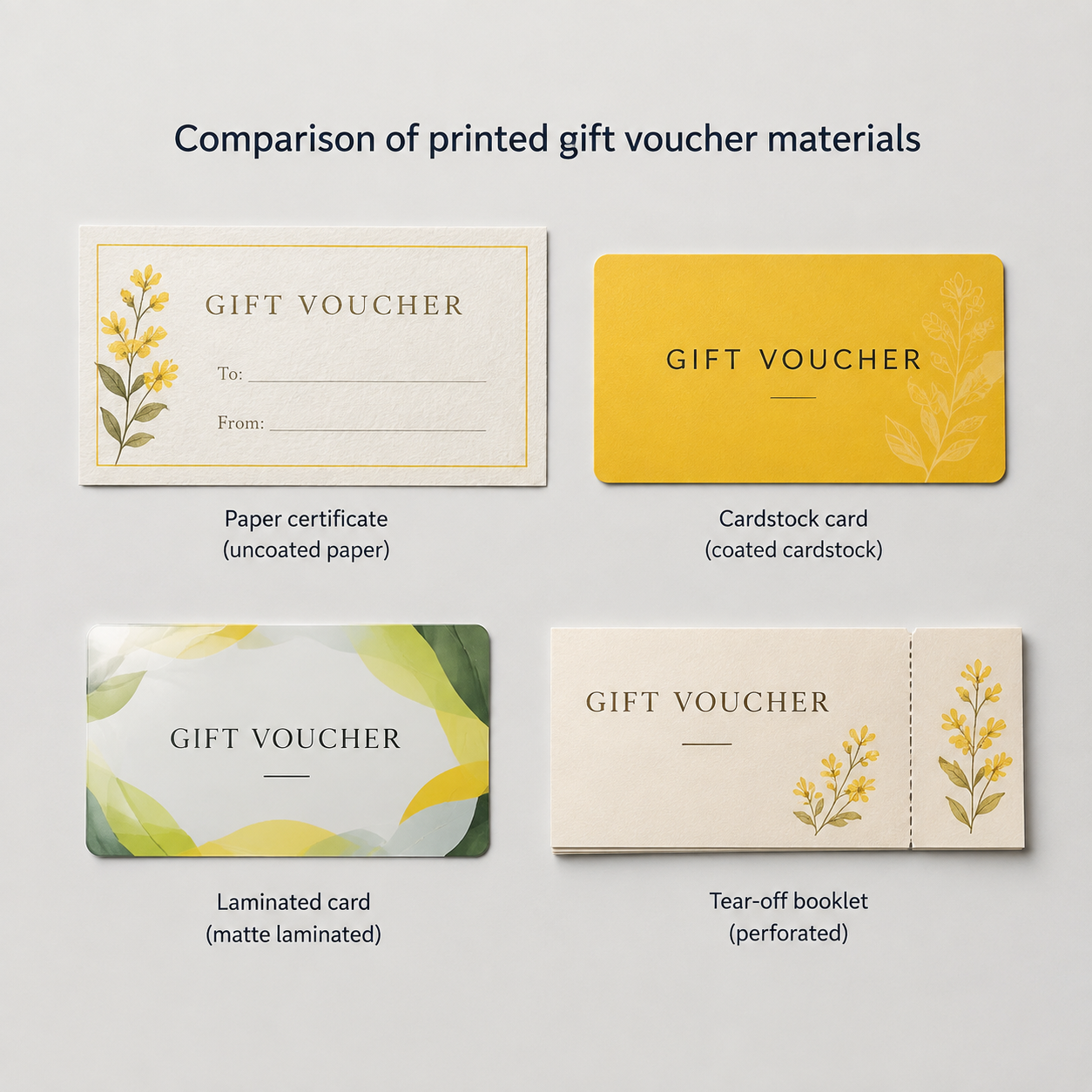
No single substrate suits every custom gift voucher. Compare handling, writable space, and code readability before choosing on appearance alone.
| Format and material | Useful for | Production and control consideration |
|---|---|---|
| Uncoated paper certificate | Handwritten messages or values | Easy to write on; specify packing protection against creases and moisture. |
| Coated cardstock card | Compact retail presentation | Provides a firm feel; reserve an uncoated area if staff must write on it. |
| Laminated cardstock card | Frequent handling | Protects the surface; test code contrast and avoid laminating writable fields. |
| Perforated tear-off or booklet | Multiple offers or retained stubs | Define code allocation per piece and check that perforation does not cross data. |
A sample built with the proposed stock and finish is more informative than a paper name alone, particularly when the design has small type or a code near a trim edge.
Paper certificates versus laminated cardstock vouchers
Use uncoated paper when writing is central to the workflow; consider laminated cardstock when handling resistance matters more. Neither choice changes whether a redemption code is valid.
On an uncoated certificate, test handwriting for legibility and ink bleed. On laminated stock, decide whether variable codes print before or after lamination and verify that the selected sequence preserves adhesion, contrast, and scanner performance. A matte finish may reduce glare in some checkout conditions, but the real test is with the buyer’s scanners and lighting. Leave enough separation between trim, foil, embossing, and code areas to accommodate the approved production layout.
Which security features solve a real operational problem?
Start with the failure you need to prevent. A unique code and a system that rejects repeat redemption address duplicate use; a concealed code can reduce casual pre-sale copying; a visible specialty finish can help staff recognize an expected print design. These controls serve different purposes.
For example, a voucher sold on a store rack may need its redemption secret hidden until purchase and activation. A certificate handed directly to a named customer may instead need an exposed serial number that staff can check quickly. Ask who can see the code before sale, who activates it, whether it permits partial redemption, and how a disputed transaction will be investigated. Select print features only after those answers are clear.
Sequential numbers, barcodes, and QR codes
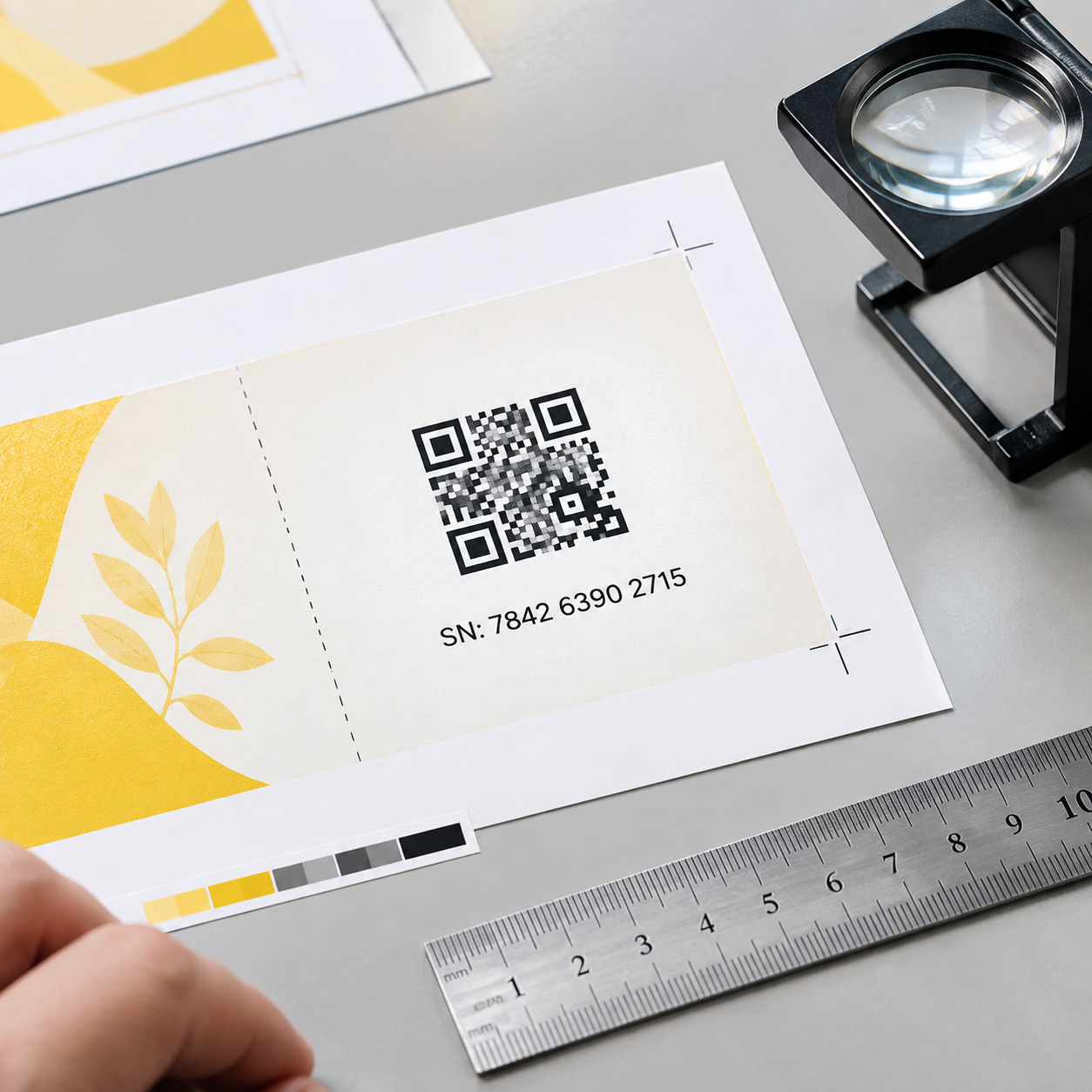
Printed vouchers get unique serial numbers by assigning one approved data record to each intended voucher, then merging those records into the print layout. A sequence can make physical counts easier, but the issuer must also prevent duplicate records and reject invalid or previously used codes.
For scanning, choose the symbol the checkout system supports. A linear barcode may suit a scanner already configured for a short numeric identifier. A QR code can encode a longer identifier or URL, but it does not provide security merely because it looks more complex. QR code vouchers should carry only the data needed for the workflow; avoid putting sensitive customer information in a publicly readable symbol. Confirm the code format, quiet zone (clear space around the symbol), size, contrast, and fallback human-readable number with the redemption team.
Scratch-off panels, UV elements, microtext, and holographic features
Redemption codes can be hidden under scratch-off panels if the selected construction is compatible with the stock, code ink, and intended handling. For scratch-off voucher printing, approve a physical sample that conceals the entire secret, resists ordinary handling, and reveals a legible code without damaging it. Confirm feasibility and added production steps with the printer before finalizing artwork.
UV-visible details, microtext, and holographic elements can support visual checks, but each needs a defined inspection method and may add setup or sourcing constraints. Small text must remain reproducible on the selected press and stock. If checkout staff cannot inspect a feature reliably, do not count it as a primary fraud control. Record which feature is decorative, which is checked at issuance, and which is checked at redemption.
Why foil alone is not a redemption control
No. Foil stamping can make gift certificate printing look distinctive, but it cannot tell a checkout system whether a voucher has already been redeemed. A copied code may still work if the issuer accepts it without checking a unique record.
Use foil for presentation or as one visual authenticity cue, with the understanding that the actual control is the relationship between the printed identifier, approved issuance records, and redemption status. Keep foil away from scan areas unless a tested design proves that it does not interfere. The same distinction applies to embossing, specialty coatings, and premium packaging: they can improve presentation without managing stored value.
How to prepare and transfer variable voucher data
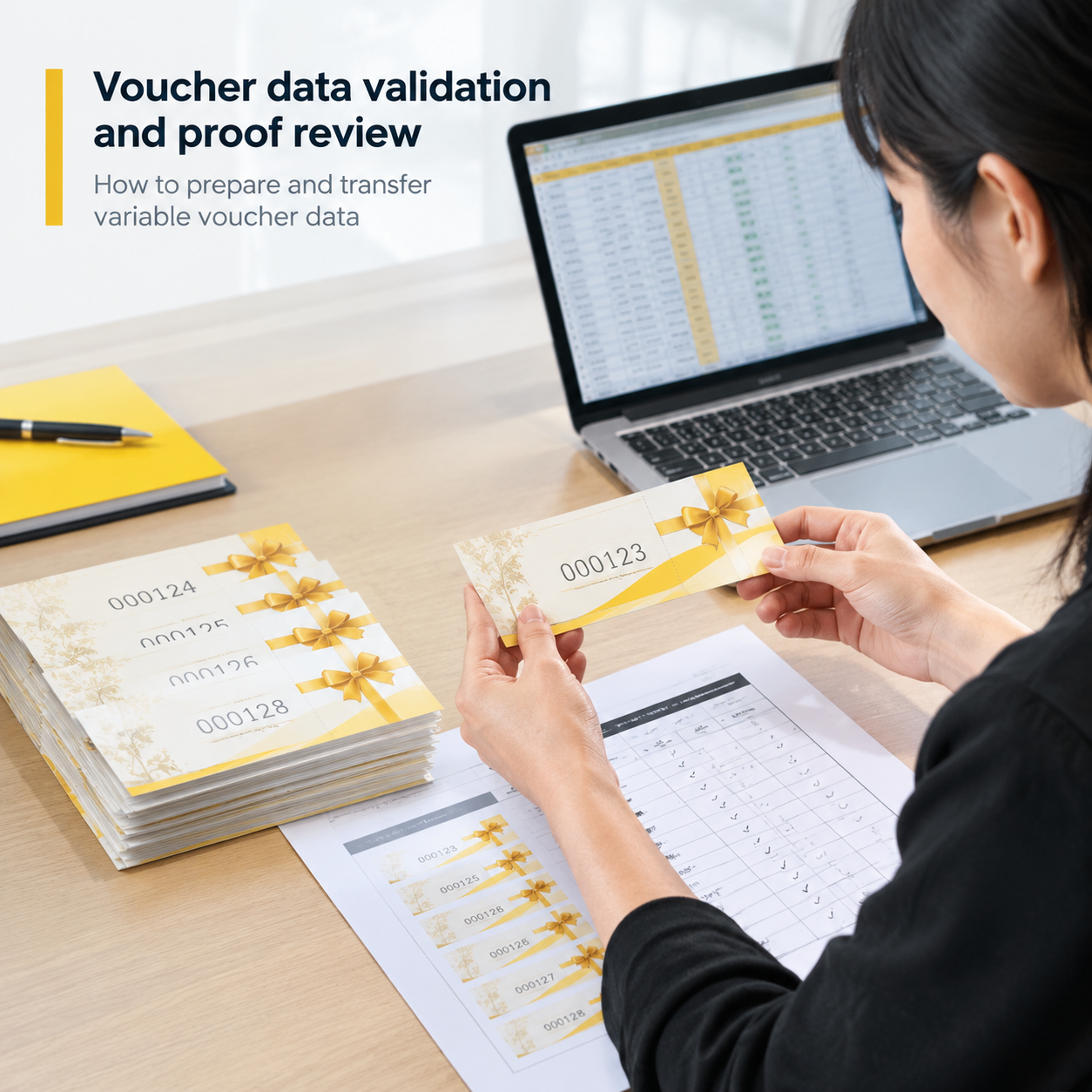
Provide an approved, machine-readable data file with one record per printed voucher, plus artwork showing where each variable field belongs. A CSV may be suitable if its column definitions and encoding are agreed in advance; confirm the required format with the printer and redemption-system owner.
Include a unique ID, the exact printable text, denomination or campaign where relevant, and the barcode or QR payload if it differs from the visible ID. Supply only fields the printer actually needs. Validate record count, duplicate IDs, missing values, field length, leading zeros, and permitted characters before transfer. Specify a secure transfer method, authorized recipients, file version, and deletion or retention requirements. A proof file is not a substitute for the final approved data set.
The gift voucher printing process step by step
Run the project as a controlled handoff from issuer data to finished packs. Establish who approves each handoff before work starts.
- Agree on format, stock, finishing, code specification, redemption rules, and quantity.
- Check artwork and validate the final data file against the issuer’s approved record count.
- Approve layout proofs and representative physical or production-method samples where needed.
- Print, finish, and inspect for legibility, sequence accuracy, and physical defects.
- Reconcile acceptable pieces, rejected pieces, replacements, and packs against the approved records.
- Release packing information to the issuer for activation and distribution.
Lemon Printing describes its broader commercial printing process separately; voucher-specific data and reconciliation responsibilities should be agreed for each order.
Data validation, proofing, production, reconciliation, and packing
Reconciliation means matching what was approved for print against what was produced, rejected, replaced, and packed. It matters because an extra printed voucher carrying a valid code creates an issuance problem even if the visual quality is perfect.
Agree on the reporting unit before production: individual code, numbered range, pack, or carton. A range alone is insufficient if individual records are missing or replaced. Define how spoiled or overrun pieces are identified and disposed of, and who receives the exception report. If activation occurs after receipt, the issuer can use the final accepted-code list to avoid activating missing or rejected vouchers. Packing labels should identify contents without unnecessarily exposing secret redemption codes.
How to test codes before approving the bulk run
Test representative printed codes with the actual redemption workflow before releasing the full run. An on-screen preview can confirm placement, but it cannot establish that a finished, coated card scans at a busy checkout counter.
- Check samples from the start, middle, and end of the approved data set, plus the longest or most complex permitted code.
- Compare each printed human-readable ID with its encoded barcode or QR payload and issuer record.
- Scan finished samples using the devices, software, lighting, and network conditions expected in use.
- Test a valid code, an unknown code, and a repeat redemption in a controlled test environment.
- For concealed codes, reveal sample panels and check readability without exposing live inventory.
Confirm whether tests change live voucher status; use test records or reset procedures approved by the issuer.
Quality checks for numbering, scanning, and writable fields
Voucher inspection should check both print quality and data integrity. A visually clean card with an unreadable code or a duplicated number is not an acceptable voucher.
Agree in advance on the inspection method and acceptance criteria: legibility of small type, code contrast and placement, numbering accuracy, registration of finishes, trim and perforation position, panel concealment, and pack counts. Test writing on the finished stock with the intended pen, including drying and smudge resistance. Scanning samples alone cannot prove every unique record is present; pair physical inspection with a comparison of produced and approved data. Lemon Printing outlines its general print quality checks, while the order specification should define the additional voucher-specific checks.
Gift voucher printing quote checklist
To quote serialized gift voucher printing, a printer needs the physical specifications and a clear description of the variable-data work. You can request an initial estimate before sharing live codes; provide a representative sample file and record count, then agree on secure transfer for production data.
- Product type, intended use, total quantity, number of designs, and quantity per design.
- Finished size, flat size if folded, stock preference, print sides, and color requirements.
- Binding, perforation, lamination, foil, writable areas, scratch-off or other proposed finishes.
- Number of unique codes, field types, barcode or QR specification, and sample data.
- Proof type, sample testing requirements, reconciliation report, and packing order.
- Delivery destination, target date, and any distribution or activation constraints.
Identify which decisions are still open so the supplier can price alternatives on the same basis.
What changes MOQ, production time, pricing, and shipping?
Final MOQ, production time, pricing, and shipping depend on product specifications, quantity, finishing, and destination. A simple paper certificate and a laminated, serialized card with a concealed code do not follow the same production path.
Quote drivers include the number of unique records and design versions, print method, stock availability, specialty finish setup, proof type, code testing, reconciliation scope, packing sequence, and required shipping method. A change to the data file after proof approval can require another validation and proof cycle. Ask for the quote to separate production, optional proofs, special packing, and freight where applicable. That makes comparisons more useful than comparing unit prices for unlike specifications.
Make the printed quantity match the usable quantity
The final approval question is not simply, “Do the vouchers look right?” It is, “Can we account for every code that could be redeemed?”
Keep the artwork proof, approved data version, scan-test results, exception decisions, and final pack manifest together. The issuer can then activate or distribute the accepted records according to its own procedures. That record trail is more valuable for a value-bearing voucher than any decorative finish on its own.
FAQ
How can printed gift vouchers be given unique serial numbers?
Create one approved record per voucher and merge its unique ID into the print layout. Validate the file for duplicates and missing IDs, then reconcile printed, rejected, and packed pieces against those records. Numbering alone does not prevent repeat redemption; the issuer’s system must check voucher status.
Are QR codes or barcodes better for voucher redemption?
Use the format supported by your checkout system and scanners. Linear barcodes can suit short IDs and existing retail scanners; QR codes can carry longer IDs or URLs. Test the finished printed symbol and include a human-readable fallback where practical. Neither format is inherently a fraud control.
Does foil stamping make a gift voucher secure?
No. Foil can improve presentation and provide a visual cue, but it cannot identify a copied code or block a second redemption. Unique records, controlled activation, redemption checks, and production reconciliation address those risks.
Can redemption codes be hidden under scratch-off panels?
Yes, subject to the selected stock, ink, panel construction, and production feasibility. Approve a physical sample to confirm that the code is fully concealed before use and remains readable after the panel is removed. Agree on how sample codes and spoiled pieces will be accounted for.
What files are needed to quote serialized gift voucher printing?
Send artwork or a layout sketch, the physical specifications, the number of unique vouchers, variable-field definitions, and a representative sample data file. You need not send live redeemable codes for an initial quote. Confirm the production file format and secure transfer method before supplying final data.
Get a Clear Quote for Your Printing Project
Send Lemon Printing your voucher format, quantity, finished size, materials, page count if it is a booklet, code and data requirements, binding or finishing, delivery destination, and target date. Include a sample data record and describe how vouchers will be activated and redeemed. The team can review the specification and provide production options, pricing, and a project timeline based on the approved details.