Table of Contents
- Key catalog printing decisions at a glance
- Catalog printing specification and comparison table
- Which catalog binding works for your page count?
- How to choose catalog text and cover paper
- Page count rules buyers often discover too late
- Color, coatings, and cover finishing
- Catalog proofing and production steps
- Packing catalogs for US distribution
- Custom catalog printing from Lemon Printing
- Catalog printing quote checklist
- Frequently asked questions
- Request a catalog printing quote
Key catalog printing decisions at a glance
Catalog printing should match the way buyers use the catalog. A mailed promotion, a showroom lookbook, and a distributor’s desk reference place different demands on paper and binding. Heavier stock can feel substantial while making pages spring closed, stressing the spine, or increasing freight. Choose the construction before finalizing artwork.
Key takeaways
- Choose binding around opening behavior, page count, and actual paper thickness.
- Approve a material sample before fixing spine artwork or mailing weight.
- Compare quotes with identical paper, proofing, finishing, and packing requirements.
Catalog printing specification and comparison table
Specify a complete catalog construction, because changing paper can change binding suitability and packed weight. These illustrative configurations are starting points for discussion, not Lemon Printing stock commitments or production limits.
| Catalog use | Interior specification | Separate cover | Binding | First check |
|---|---|---|---|---|
| Mailed product promotion | 32 pages, 120 gsm coated | 4 pages, 200 gsm coated | Saddle stitch | Fold cracking, folded thickness, and mailing weight |
| Showroom product range | 96 pages, 128 gsm coated | 4 pages, 250 gsm coated | Perfect binding | Minimum binding thickness, gutter, and spine artwork |
| Distributor desk reference | 64 pages, 120 gsm uncoated | 250 gsm front and back covers | Wire-O | Punch clearance, page turning, and wire protection |
For bulk catalog printing, compare these alternatives at the same quantity and finished size. State which cover surfaces print, and request the actual paper grade and caliper rather than accepting GSM alone.
Which catalog binding works for your page count?

Saddle stitch suits slim catalogs, perfect binding provides a defined spine when the page block is thick enough, and Wire-O suits frequent desk reference. There is no universal page-count limit: caliper, finished size, grain direction, and binding equipment all matter.
| Binding | Opening behavior | Main constraint |
|---|---|---|
| Saddle stitch | Opens well at the center spread | Folded bulk and creep |
| Perfect binding | Square spine; some image area disappears into the gutter | Minimum spine thickness and adhesive suitability |
| Wire-O | Opens flat; pages can turn back | Punched margin and exposed wire |
Review the catalog and book printing options alongside your proposed page count.
Saddle stitch for slim catalogs
A saddle stitch catalog uses wire staples through the fold of nested sheets. It works well for short product promotions where a printed spine is unnecessary.
More pages or thicker stock make the folded bundle harder to close neatly. Check staple placement, closed shape, and page turning on a folded dummy made from the proposed paper. A self-cover uses the same stock throughout; a separate cover can add stiffness but may need scoring to prevent cracking.
Perfect binding for a defined spine
A perfect bound catalog has an adhesive-bound page block attached to a wraparound cover. Choose it when the proposed stock and page count create sufficient thickness for the binder.
The gutter is the inner margin beside the spine. Keep product codes, prices, and important image details away from it; conventional perfect binding does not open fully flat. Ask which adhesive suits the coated stock and expected handling. A heavier cover cannot compensate for an unsuitable page block or adhesive.
Wire-O binding for reference catalogs
Wire-O uses paired metal loops through punched holes, allowing a reference catalog to lie flat during use. It is useful when sales staff need both hands free to compare specifications or complete an order.
Reserve space for the punch pattern before laying out tables. Confirm hole positions, wire diameter, and cover construction with the binder. Check that pages turn without catching and that shipping protection prevents the wire from being crushed.
How to choose catalog text and cover paper
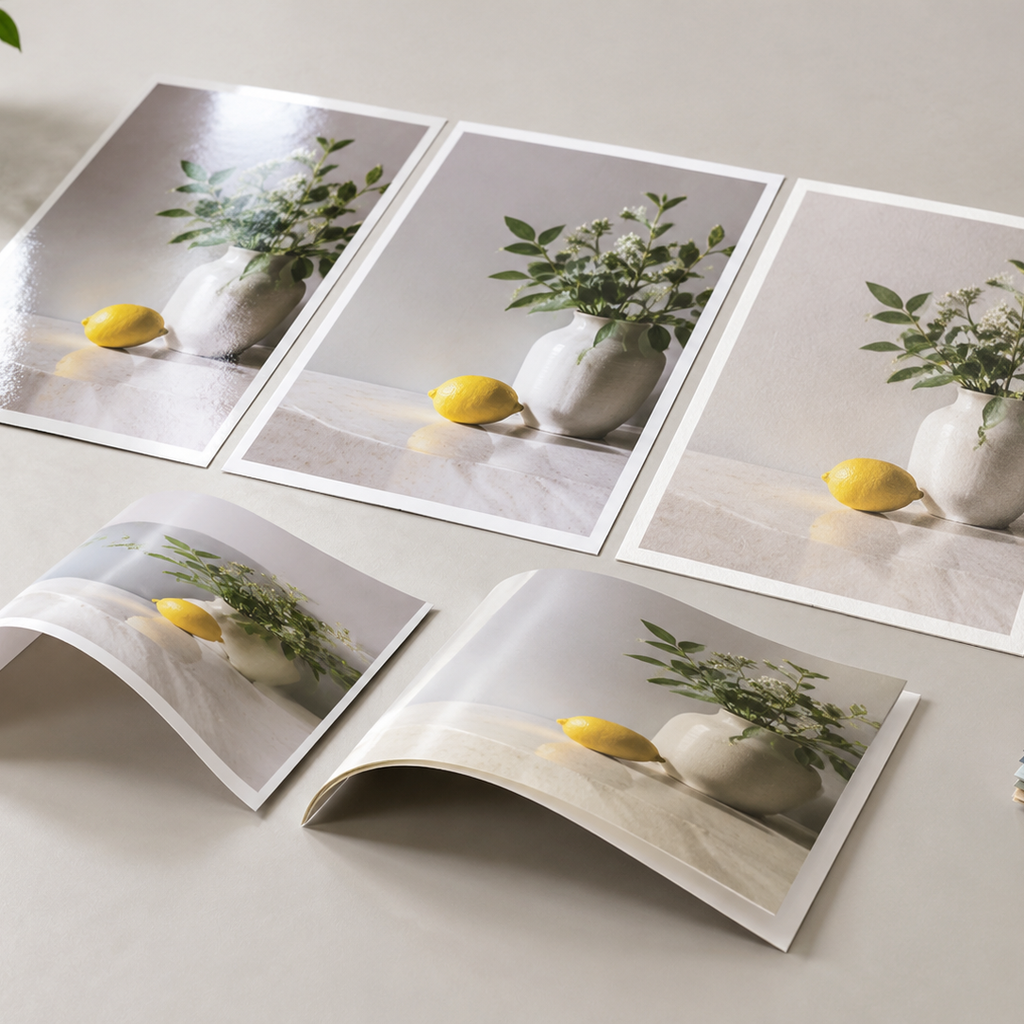
As starting specifications to sample, consider 100–150 gsm coated interiors, 100–140 gsm uncoated interiors, and 200–300 gsm separate covers. These are discussion ranges, not fixed inventory or binding limits.
The right catalog paper stock must balance image reproduction, show-through, flexibility, and weight. Compare printed samples as well as blank sheets. Request grain direction—the direction most paper fibers follow—and plan it parallel to the spine where the construction allows.
Coated paper for product photography
Coated paper generally holds fine image detail and strong color better than an absorbent uncoated surface. Gloss can emphasize photographs but creates glare; silk or matte coated grades offer a quieter appearance.
Compare a page containing dark products, neutral backgrounds, fine labels, and small reversed text. A paper’s coating is different from a post-print varnish or lamination, so identify both separately in the specification.
Uncoated paper for a quieter, writable surface
Uncoated paper suits catalogs where texture, low glare, or handwritten notes matter. It usually produces less saturated images, and its shade can influence product colors.
Proof photographs for that stock rather than assuming a coated-paper result will transfer unchanged. If buyers will annotate order forms, test the intended pen on the actual paper.
Paper weight, bulk, opacity, and mailing weight
GSM does not tell you how thick or opaque a sheet will be. Bulk describes thickness relative to weight; opacity describes how well paper hides printing on the reverse side. Different grades at the same GSM can behave differently in binding.
For an 8.5 × 11-inch catalog with 32 interior pages, raising text weight from 100 to 150 gsm adds about 48 g per copy, or roughly 240 kg across 5,000 copies, before covers and packaging. This is a paper-only estimate. Weigh a finished sample and its mailing pack before selecting a distribution service.
Page count rules buyers often discover too late
A conventional saddle-stitched catalog needs a total page count divisible by four because each folded sheet creates four pages. State interior and cover counts separately: 32 interior pages plus a four-page cover means 36 pages overall.
Perfect-bound page increments depend on whether production uses folded sections or individual leaves. Agree the imposed page count before approving the contents page or placing product categories on specific openings.
Printer spreads, signatures, and blank pages
A signature is a folded group of pages assembled as one section. Depending on the press sheet, format, and paper, production may use sections of 8, 16, or 32 pages, or another arrangement.
Printer spreads arrange pages for folding and binding; reader spreads show adjacent pages as readers see them. Supply interior PDFs as single pages in reading order unless prepress requests otherwise. Keep intentional blanks in the PDF and page count. If the imposed count requires additional pages, decide whether they become useful content or blanks before production.
Creep in saddle-stitched catalogs
Creep is the outward movement of inner pages as folded sheets nest inside one another. At the fore edge—the edge opposite the spine—inner sheets extend farther and lose more material during trimming.
Prepress compensates during imposition using the actual stock thickness and page count. Keep page numbers, borders, and product labels safely inside the trim. Avoid shifting individual pages yourself unless the printer supplies instructions.
Spine width in perfect-bound catalogs
Estimate the interior block thickness from leaf count and paper caliper, then use the printer’s final cover template. GSM alone cannot establish spine width.
Illustrative calculation: 96 interior pages ÷ 2 × 0.10 mm sheet caliper = 4.8 mm of paper thickness.
That estimate is not an approved spine dimension. Binding setup, compression, adhesive, and cover construction affect the finished result. Confirm the template after selecting the actual stock, and leave room for agreed spine registration tolerances around text and panel boundaries.
Color, coatings, and cover finishing
Choose finishing around handling and image requirements. Lamination adds a protective film; varnish is a surface coating; spot UV applies a glossy coating to selected areas. Dark covers should be sampled because scuffs and fingerprints can be conspicuous.
Scoring creates a controlled crease to help a cover fold without cracking. Confirm score positions, grain direction, and the behavior of printed and finished stock. Supply separate masks for foil or spot UV, and agree registration tolerances before placing fine details close together.
Use offset when stable artwork and a sufficiently large run spread setup costs across many copies. Digital can suit shorter or versioned runs. There is no universal break-even quantity; compare both using the same stock, color expectations, proofs, and finishing. Lemon Printing’s offset and digital printing capabilities support discussion of the appropriate production route.
Catalog proofing and production steps
Approve content, color, and construction through separate checks; one PDF cannot establish all three.
- Confirm the specification and review a paper or binding dummy.
- Preflight files and freeze the approved product data.
- Approve pagination and the agreed color proof.
- Print, finish, bind, inspect, and verify packing.
Use the commercial printing process to establish approval points and responsibilities before setting the production schedule.
Preflight product data, images, and dielines
Preflight checks whether files can print correctly; it does not verify that a product price or specification is accurate. Assign a buyer-side owner to check SKUs, dimensions, prices, units, and edition changes.
- Check image resolution at final size; 300 ppi is a common photographic target.
- Use the agreed color settings. CMYK means cyan, magenta, yellow, and black process inks.
- Confirm bleed and safe margins; 3 mm bleed is common, but follow the supplied template.
- Embed fonts, separate finish masks, and keep dielines from printing as artwork.
- Test any barcodes at their intended printed size.
Approve color-critical pages before the run

A PDF proof establishes content and placement, but it cannot reliably establish printed color on an ordinary screen. A contract proof models an agreed printing condition and may not use the final paper or finish.
For color-sensitive products, agree whether a printed test on the intended stock is needed. Select difficult pages: neutral grays, similar fabric shades, dark products, and reflective surfaces. Review under agreed lighting, record the approved reference, and confirm how lamination or coating affects appearance. A binding dummy separately verifies handling and thickness.
Inspect binding, trimming, and pagination
Inspect complete bound catalogs for correct sequence, secure pages, clean trimming, and usable openings. A good press sheet does not establish that the finished catalog is correct.
Check representative copies for missing or repeated sections, staple security or adhesive attachment, cover alignment, cracking, scuffing, and Wire-O page turning where applicable. Agree measurable trim and registration limits. For example, if the agreed trim tolerance is ±1 mm, a label placed 1 mm from the edge has no useful safety margin.
Review the printing quality inspection checkpoints when defining acceptance criteria.
Packing catalogs for US distribution

Specify packing around the receiving operation and actual packed weight. Catalogs going to a fulfillment warehouse may need different bundle counts and labels from cartons delivered to a showroom.
- Agree copies per bundle and carton, carton dimensions, and maximum gross weight.
- Protect corners and covers against movement and rubbing; prevent pressure on exposed Wire-O loops.
- Identify editions, quantities, carton numbers, and any required warehouse barcodes.
- Confirm pallet, appointment, and unloading requirements with the US receiver.
For individual mailing, weigh the finished catalog with its envelope or mailer and confirm postal requirements with the distribution provider. For freight, identify the shipping terms, customs-clearance responsibility, duties, and final delivery scope. Compare total landed costs using the same destination and service.
Custom catalog printing from Lemon Printing
Lemon Printing supports custom catalog printing through specification review, prepress, offset or digital printing, binding, finishing, inspection, and export preparation.
Company facts supplied by Lemon Printing: Established in 2015 in China’s Guangzhou–Shenzhen manufacturing corridor; a self-owned facility with more than 130 skilled workers and 8+ offset and digital presses; customers in more than 30 countries.
Lemon Printing states that these production stages are handled in-house. Its in-house printing factory provides context for evaluating production coordination. For a catalog order, confirm the actual stock, binding construction, proof route, and packing plan in the written specification.
Catalog printing quote checklist
Comparable quotes require the same catalog printing specifications and delivery scope. Provide:
- Catalog use, total quantity, and quantities by language or edition.
- Finished width and height, with units.
- Interior page count and separate cover page or surface details.
- Text and cover paper grade, GSM, coating, and available caliper information.
- Binding, color requirements, lamination, and any special finishing.
- File readiness, proof type, and color-critical pages.
- Bundle counts, carton limits, labels, and pallet requirements.
- US delivery address and ZIP code, receiving conditions, shipping scope, and target arrival date.
Request a breakdown of proofing, production, packing, and freight. Final MOQ, production time, pricing, and shipping depend on product specifications, quantity, finishing, and destination.
Frequently asked questions
Which binding is best for a product catalog?
Saddle stitch suits slim promotions, perfect binding suits catalogs with enough block thickness for a defined spine, and Wire-O suits flat-opening desk references. Confirm suitability using the actual stock, page count, finished size, and binding equipment.
Does a saddle-stitched catalog page count need to be divisible by four?
Yes, for conventional saddle stitching. Each folded sheet creates four pages. Specify interior and cover counts separately; 32 interior pages plus a four-page cover gives 36 pages overall. Include intentional blank pages in the count.
What paper weight should be used for catalog interiors and covers?
Illustrative starting ranges are 100–150 gsm for coated interiors, 100–140 gsm for uncoated interiors, and 200–300 gsm for separate covers. Select the final stock by caliper, opacity, opening behavior, image requirements, and distribution weight.
When should catalog buyers use offset instead of digital printing?
Consider offset for stable artwork and larger runs that distribute setup costs across many copies. Digital can suit shorter or versioned runs. Compare equivalent specifications and proofs; there is no universal quantity at which offset becomes cheaper.
What information is needed to quote bulk catalog printing for US delivery?
Provide quantity by edition, finished size, interior and cover counts, paper, binding, color, finishing, proof requirements, packing, and file readiness. Include the US address and ZIP code, receiving conditions, shipping scope, and target arrival date.
Request a catalog printing quote
Settle how the catalog should open, then test the proposed paper and binding together. Confirm pagination, approve representative product images, and measure packed weight before committing to the full order. That gives suppliers a workable specification and buyers a clearer basis for comparison.
Get a Clear Quote for Your Printing Project
Send Lemon Printing your catalog type and intended use, quantity, finished size, interior and cover page counts, paper, binding or finishing requirements, delivery destination, and target date. Our team will review the specifications and normally respond within one business day with practical production options, pricing, and a project timeline.