Table of Contents
- Key takeaways: What makes a printed ticket code scan-ready
- How should QR codes and barcodes fit into a ticket workflow?
- Confirm code type, data source, and scanner requirements
- What artwork and print details can affect scanning?
- Code size, contrast, clear space, placement, and surface finish
- Compare static and variable-data ticket printing
- How to test QR code tickets before approving production
- Sample tickets, device checks, and ticketing-platform validation
- QR code ticket printing specification and quote checklist
- Frequently asked questions about QR code ticket printing
- Request a quote for printed tickets with codes
Key takeaways: What makes a printed ticket code scan-ready
Reliable QR code ticket printing requires a clean printed symbol and an admission system that recognizes its data. A ticket can look correct, decode successfully, and still be rejected because its identifier belongs to another event, is missing from the database, or has already been used.
How should QR codes and barcodes fit into a ticket workflow?
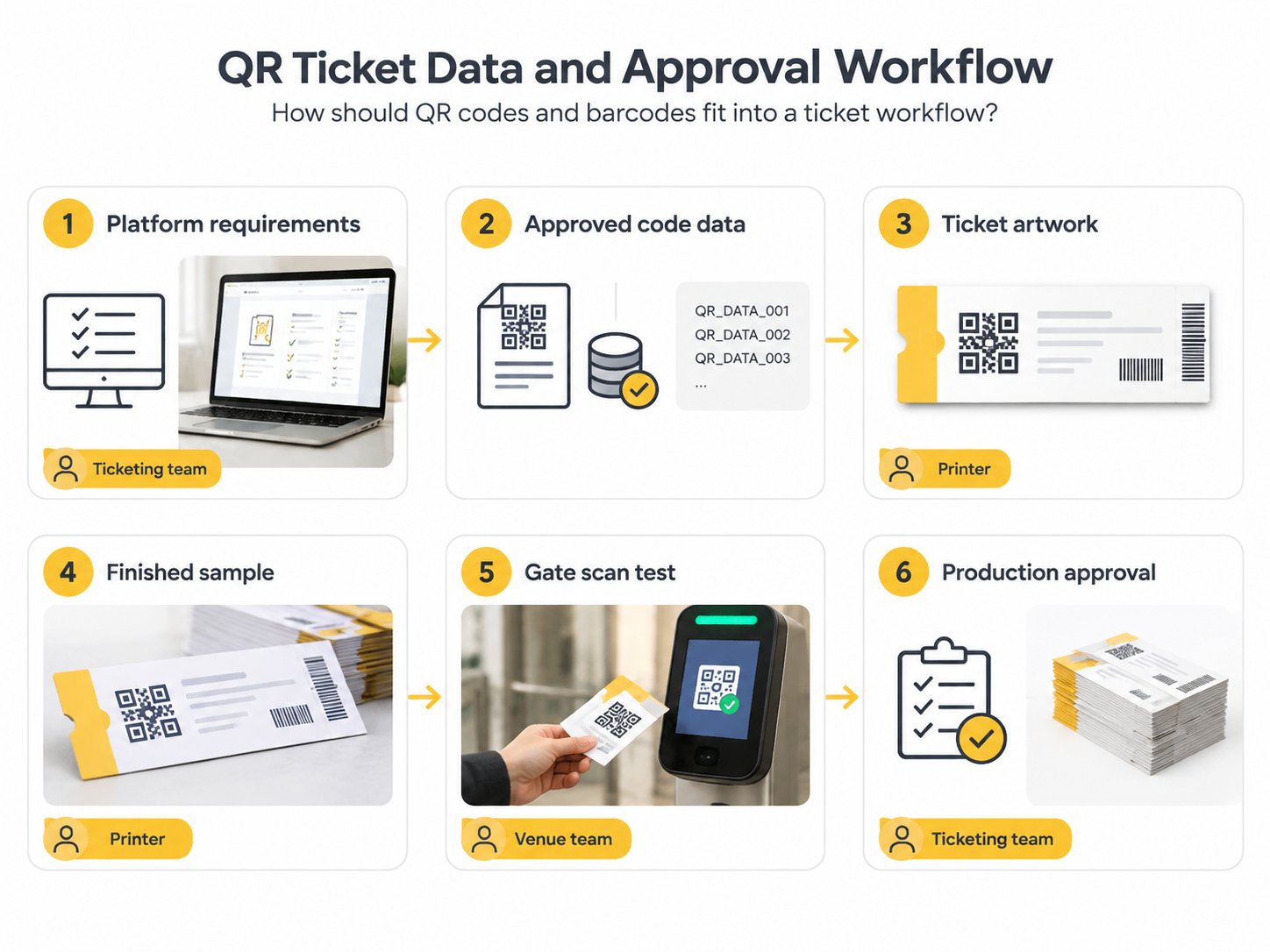
The ticketing system should define what each code contains before the printer places it in the layout. Printing makes the identifier readable; the admission platform decides whether it permits entry.
A QR code may contain a URL, an opaque token, or a ticket identifier. An ordinary phone camera might open a URL successfully while the venue’s admission app rejects that same code. Confirm the required content rather than assuming any QR generator will produce a compatible ticket.
- Ticketing owner: approves the data format, valid records, and entry rules.
- Printer: checks artwork, reproduces the approved codes, and maintains record-to-ticket matching.
- Venue team: tests devices and confirms check-in behavior under expected entry conditions.
Use Lemon Printing’s custom ticket printing options to discuss the physical format alongside these admission requirements.
Confirm code type, data source, and scanner requirements
Confirm the supported code type and exact encoded value with the ticketing provider. QR and linear barcodes require different readers and artwork rules.
For ticket barcode printing, specify the symbology—the barcode format, such as Code 128—rather than requesting simply “a barcode.” A conventional 1D laser scanner generally cannot read QR codes; use a compatible 2D imager or the platform’s approved camera app.
For variable records, agree on a file structure containing the encoded value, visible serial number if required, and relevant event or access category. Treat identifiers as text so spreadsheet software does not remove leading zeros or convert long numbers into scientific notation. Preserve capitalization and punctuation where the platform requires them.
Name one person to approve the final data revision. Reconcile the expected record count, check required fields and uniqueness, and define how replacements, test tickets, and production surplus will be controlled. A unique printed code can still be copied; duplicate-entry protection depends on the platform’s validation rules.
What artwork and print details can affect scanning?
Small modules, weak contrast, missing clear space, distortion, and glare can make printed codes difficult to scan. The final ticket artwork specifications should protect the code through every export and finishing step.
Prefer vector code artwork where the workflow supports it. For raster files, generate the image at its intended print size with whole pixels per module and sufficient resolution for the agreed process. Enlarging a low-resolution image does not restore missing detail.
Keep QR codes square and avoid image smoothing, screenshots, stretching, or decorative changes to the pattern. Check the exported production PDF, since resampling during export can soften edges even when the original code file is clean.
Code size, contrast, clear space, placement, and surface finish
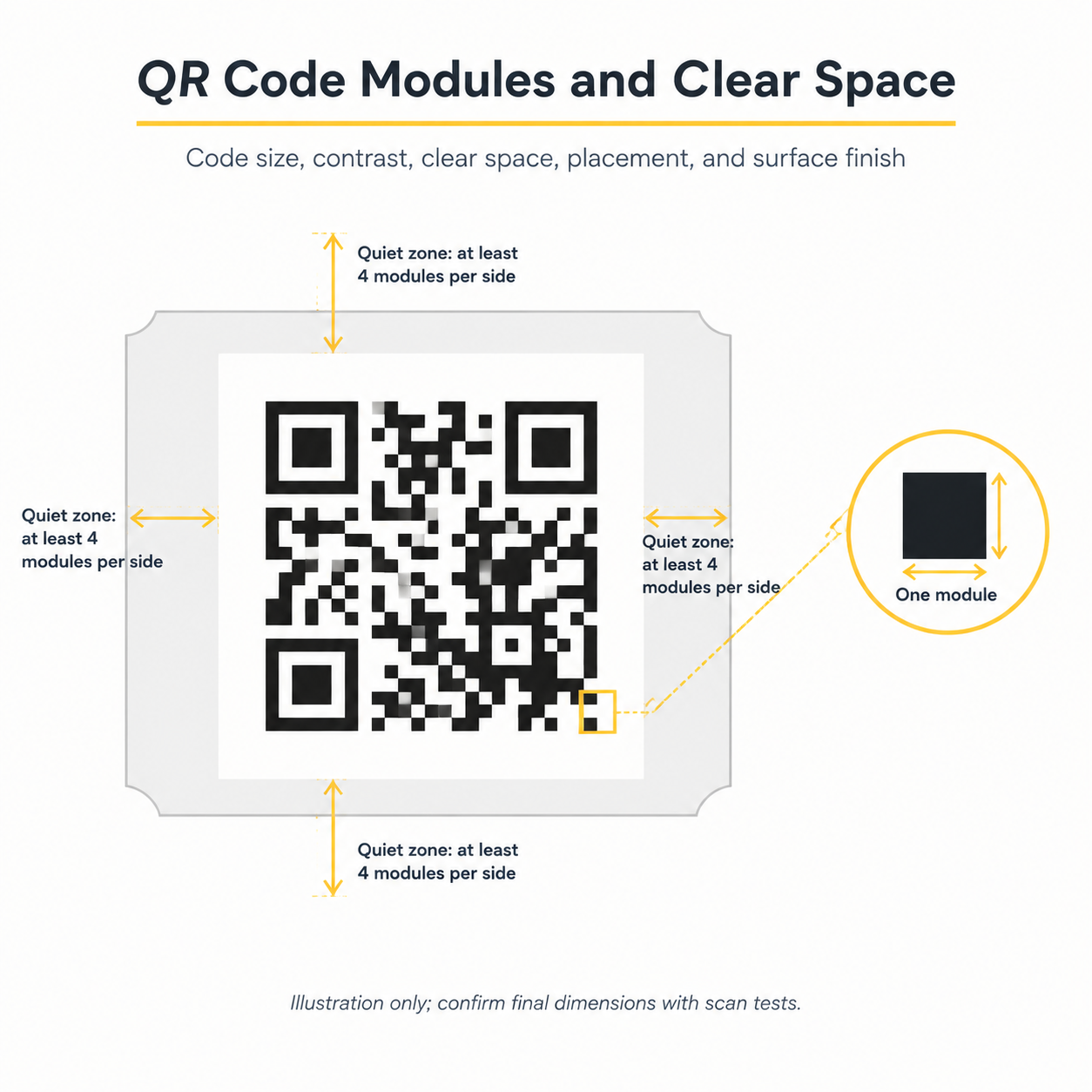
Choose code dimensions from the module count, printing process, scanner, and expected reading distance. There is no single ticket QR size that works for every combination.
- Size: More encoded data can produce a denser QR pattern. At the same overall width, a denser pattern has smaller modules. Keep unnecessary text out of the encoded value, subject to platform requirements.
- Clear space: For standard QR Codes, DENSO WAVE specifies a margin of at least four modules on every side in its QR cell-size and margin guidance. Keep text, borders, and background graphics outside this zone.
- Contrast: Use a dark code on a plain light field. For CMYK printing, discuss 100% black ink rather than a multicolor rich black to reduce registration risk. Ask prepress to confirm that the light field knocks out underlying artwork.
- Placement: Keep the complete code and quiet zone inside the printer’s safe area. Allow additional clearance for agreed cutting and perforation tolerances, and avoid folds or areas covered by fingers during scanning.
- Surface: Gloss can reflect light; textured or absorbent stock can change module edges. Keep foil, embossing, and spot coatings outside the code area unless the finished construction passes the agreed tests.
For example, a 29 × 29-module QR symbol at 0.4 mm per module measures 11.6 mm across. With a four-module quiet zone on each side, its complete footprint is 14.8 mm. This illustrates the layout calculation; the usable size still needs device and production testing.
QR error correction helps recover some missing encoded data. Higher correction settings can increase density, and they do not remove the need to control blur, glare, or physical damage. Linear barcodes have different height and quiet-zone requirements; follow the selected symbology’s specifications.
Compare static and variable-data ticket printing
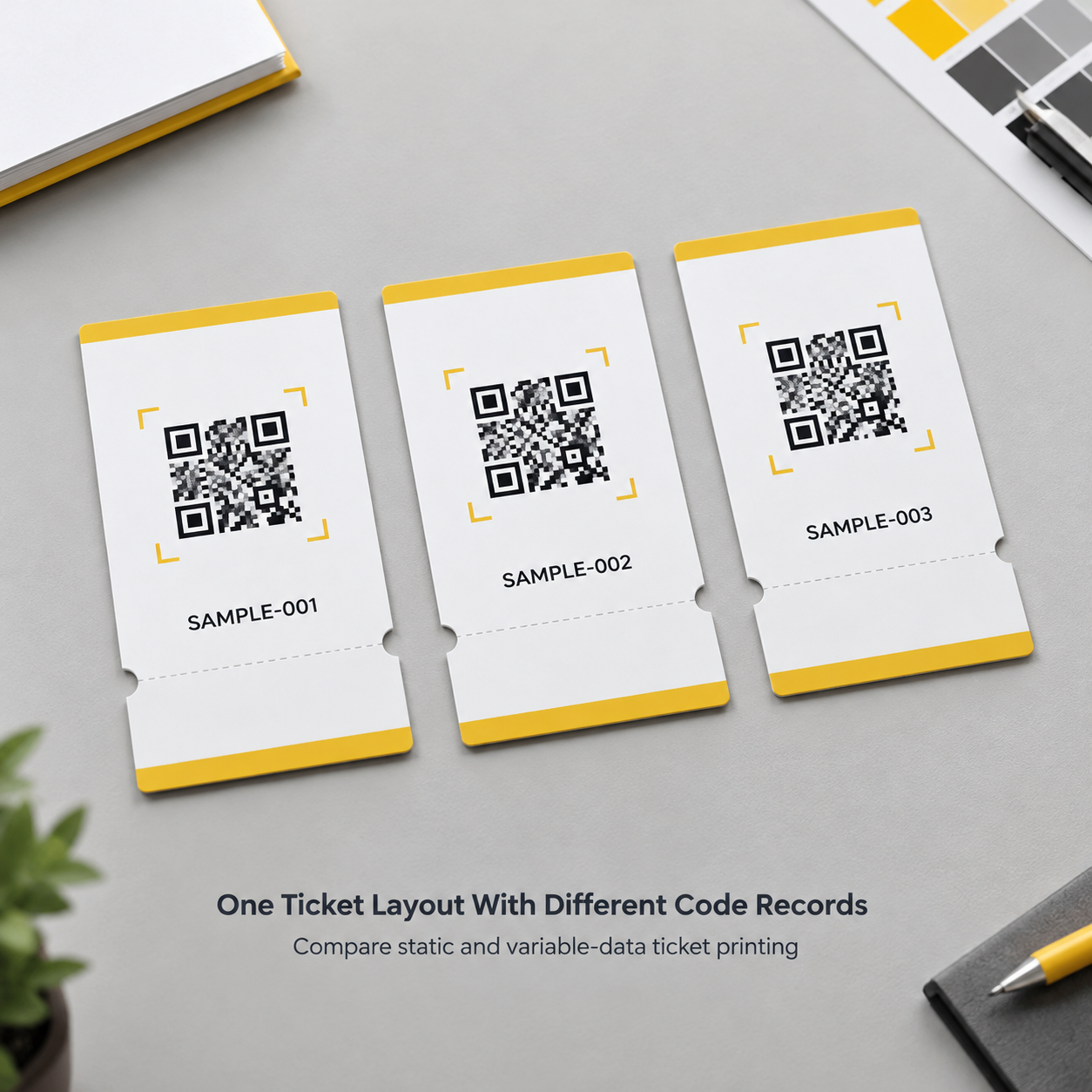
Supply codes as artwork when the ticketing platform exports approved print-ready symbols. Use generation from variable data when the platform permits it and the encoded format is fully specified. Unique codes can be supplied through either route.
| Workflow | Suitable use | Main approval requirement |
|---|---|---|
| One static code on every ticket | Shared event information or a common web link | Confirm the destination. A shared code alone cannot identify individual admissions. |
| Unique codes supplied as artwork | Platform-exported ticket PDFs or code files | Preserve symbols and reconcile each file or page with its admission record. |
| Unique codes generated from approved data | Record-based ticket production | Approve encoding settings, field mapping, generated samples, and record counts. |
Variable data ticket printing means selected fields change between tickets. It does not automatically connect those tickets to a database.
Review Lemon Printing’s offset and digital printing capabilities when discussing fixed artwork and variable fields. Ask whether these will be produced together or in separate passes, and how alignment and record matching will be checked.
How to test QR code tickets before approving production
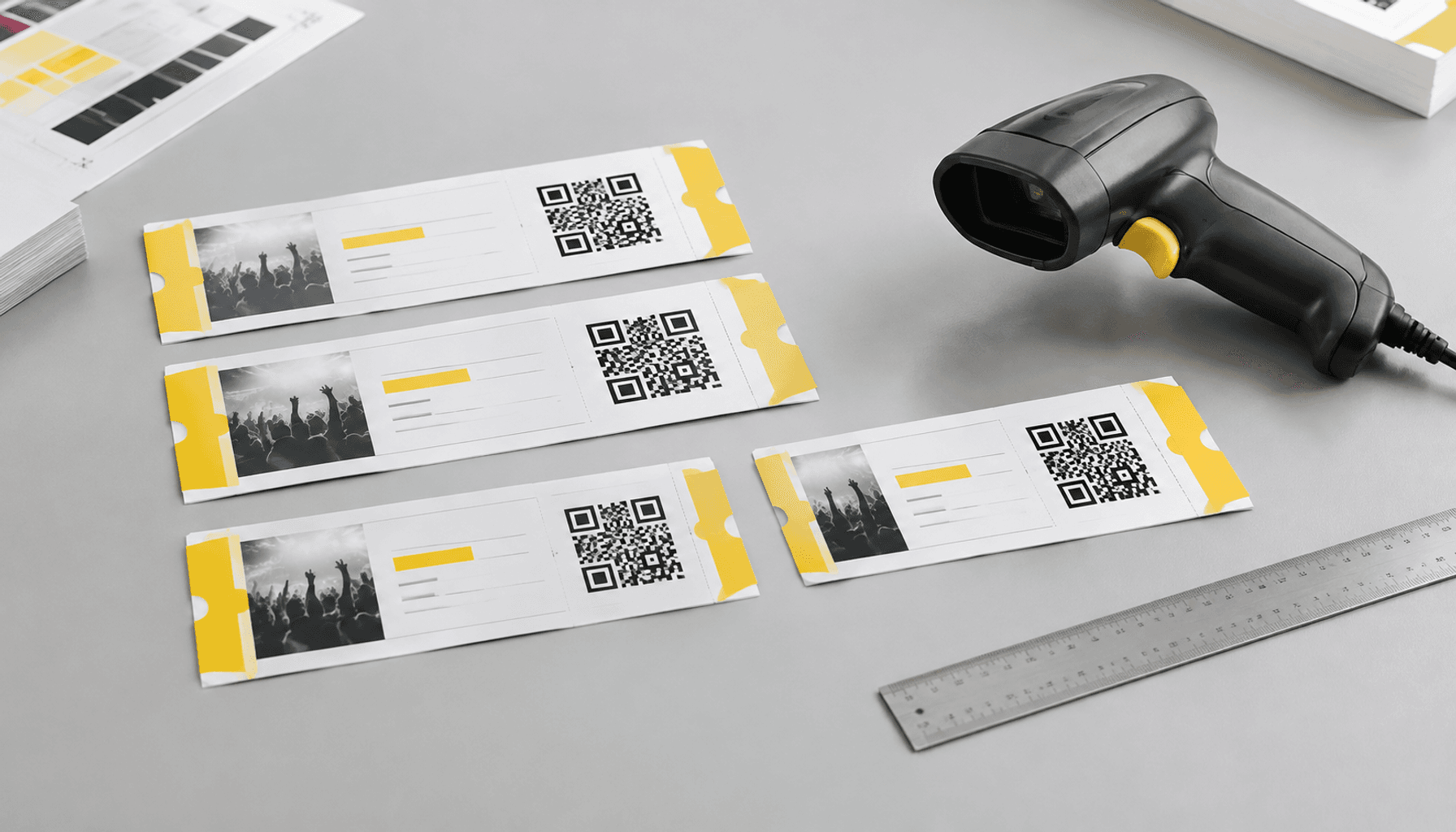
Test a finished physical sample with the actual admission system before approving the bulk run. A screen proof can confirm content and layout, but it cannot reproduce paper, ink spread, reflections, or finishing.
- Validate the source data. Check required fields, record count, duplicates, and correspondence with platform records. Compare decoded values exactly with their source values.
- Review the production PDF. Inspect code dimensions, quiet zones, separation behavior, and placement relative to cut and perforation lines.
- Check representative finished samples. Include the densest codes, different access categories, and the proposed stock and finish. Ask which final production conditions the sample reproduces.
- Approve admission behavior. Confirm that valid tickets admit the correct category and that repeat scans and invalid records receive the expected response.
Agree on production inspection separately from proof approval. Lemon Printing’s print quality control approach provides a starting point for that discussion. Sample scanning does not verify every unique ticket; specify any requirement for 100% code inspection and record reconciliation separately.
Sample tickets, device checks, and ticketing-platform validation

A useful scan test checks both readability and admission status under the conditions staff will encounter. Use the approved scanner or app, rather than relying only on a phone’s general camera.
- Devices and handling: Test the intended device models, normal presentation angles, expected reading distance, and realistic gate lighting. Include ordinary handling or wear where relevant.
- Platform responses: Check valid entry, repeat entry, wrong event, canceled tickets, and incorrect access categories using designated test records.
- Connectivity: Test offline operation if planned. Offline devices may not share recent check-ins until synchronization; confirm how the provider handles duplicates across gates.
- Production coverage: Agree on samples across the run, including relevant batches or variable-data segments. Inspect trimming and finishing as well as the printed pattern.
Use a sandbox or controlled test records so validation does not consume live admissions. Segregate test tickets from deliverable stock and agree on any reset procedure with the ticketing owner.
Record the data revision, artwork revision, printed dimensions, stock, finish, device, app version, and test result. If the sample uses a different printing or finishing process, agree on additional production checks. Document the approval handoff within the agreed printing and proof approval process.
QR code ticket printing specification and quote checklist
Provide the physical ticket specification, approved code source, platform requirements, and validation plan. These let the printer assess event ticket QR code printing as a complete production job.
- Product: Quantity, finished size, printed sides, paper type and weight, and finishing.
- Artwork: Final-size PDF, printer-confirmed bleed and safe areas, code dimensions, quiet zone, and cut or perforation positions.
- Code supply: Static or unique codes; supplied artwork or data generation; symbology, encoded format, and any platform-required settings.
- Record control: Data revision, expected count, visible numbering, ticket-to-stub relationship, sorting, bundling, and replacement rules.
- Approval: Physical sample requirements, actual scanner or app, named approver, and production inspection scope.
- Delivery: Destination, packing requirements, target arrival date, and time reserved for platform validation.
| Ticket format | Material and finishing choices | Scan checkpoint |
|---|---|---|
| Single-piece admission ticket | Smooth uncoated or coated stock; confirm weight and stiffness | Protect the complete code and quiet zone inside the safe area. |
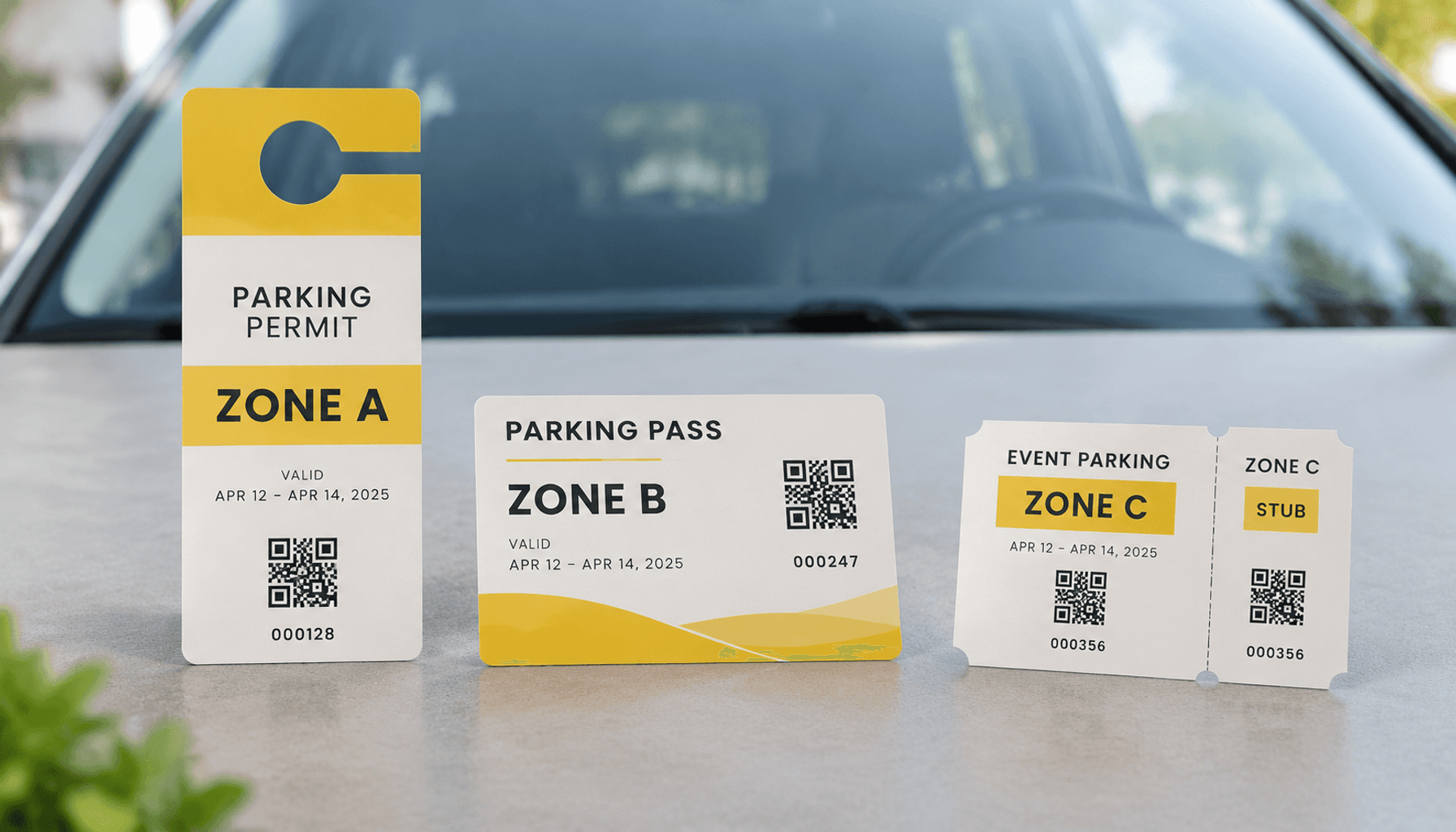
| Ticket with detachable stub | Specified perforation position and retained section | Keep the code clear of the tear line and available at the required check. |
| Souvenir ticket with decorative finishing | Board stock or coating, with decoration outside the scan area | Test reflections and readability on the finished sample. |
Serial numbers and perforated stubs are optional workflow features. A visible reference can help staff locate a record manually; a stub can support collection or reconciliation. Neither replaces platform validation.
Final MOQ, production time, pricing, and shipping depend on product specifications, quantity, finishing, and destination.
Frequently asked questions about QR code ticket printing
Scan-ready event tickets need readable artwork, correct data, and an approved admission workflow. The following answers cover the main decisions before production.
Request a quote for printed tickets with codes
Approve the ticket when its finished code and admission record pass the agreed gate test. Keep the approved sample, data revision, and packing instructions together so production and venue teams share the same reference.
According to Lemon Printing, prepress, printing, finishing, quality inspection, packing, and export preparation are handled in-house. Clear code requirements help coordinate that production work with your ticketing team’s approval.
FAQ
What should I provide for QR code ticket printing?
Provide quantity, finished size, paper, finishing, delivery destination, and target date, plus final artwork and approved code files or a controlled dataset. Include the platform’s encoded-value requirements, scanner details, record count, and sample approval plan. Identify who approves data and who signs off on admission tests.
What can make a QR code on a printed ticket difficult to scan?
Common causes include small or blurred modules, weak contrast, artwork inside the quiet zone, distortion, reflective finishing, and damage near the pattern. An incompatible reader can also prevent decoding. If the code decodes but admission fails, investigate the platform record, event assignment, or entry status.
Should ticket codes be supplied as artwork or generated from variable data?
Use platform-exported artwork when it provides approved print-ready codes. Generation from variable data is suitable when the platform allows it and the encoding rules are documented. Either method can produce unique tickets. Approve representative outputs and reconcile every intended record before releasing production.
How should I test printed tickets with QR codes before approving a bulk order?
Test representative finished samples on the actual admission app or scanner using controlled test records. Check decoding, correct event and access category, repeat scans, and planned offline behavior. Include realistic lighting and handling. Record the approved specifications and agree separately on inspection during the production run.
Do QR code tickets also need serial numbers or perforated stubs?
Neither is automatically required. Visible serial numbers can support manual lookup and reconciliation, while perforated stubs can support collection procedures. Define how these features relate to the encoded identifier. Keep the code away from the tear line and on the section available when staff need to scan it.
Get a Clear Quote for Your Printing Project
Send Lemon Printing your ticket type, quantity, finished size, paper, finishing or stub requirements, delivery destination, and target date. Include your code files or sample dataset, platform requirements, and scan-test plan for a specification-based quote and a free prepress file check.
Our team will review the specifications and normally respond within one business day with practical production options, pricing, and a project timeline.